Movebase is in Beta. Official launch coming soon! Thanks for your support.

Back Up & Move WordPress Safely

Free Plugin. Verified Backups. One-Click Undo.

  • Every backup checked before it can replace anything.
  • Works on ordinary shared hosting, even with low memory.

Back Up To Storage You Already Trust

  • Your server
  • Movebase Cloud
  • IDrive e2
  • MEGA S4
  • Amazon S3
  • Cloudflare R2
  • Backblaze B2
  • Wasabi
Verified Before Anything Changes
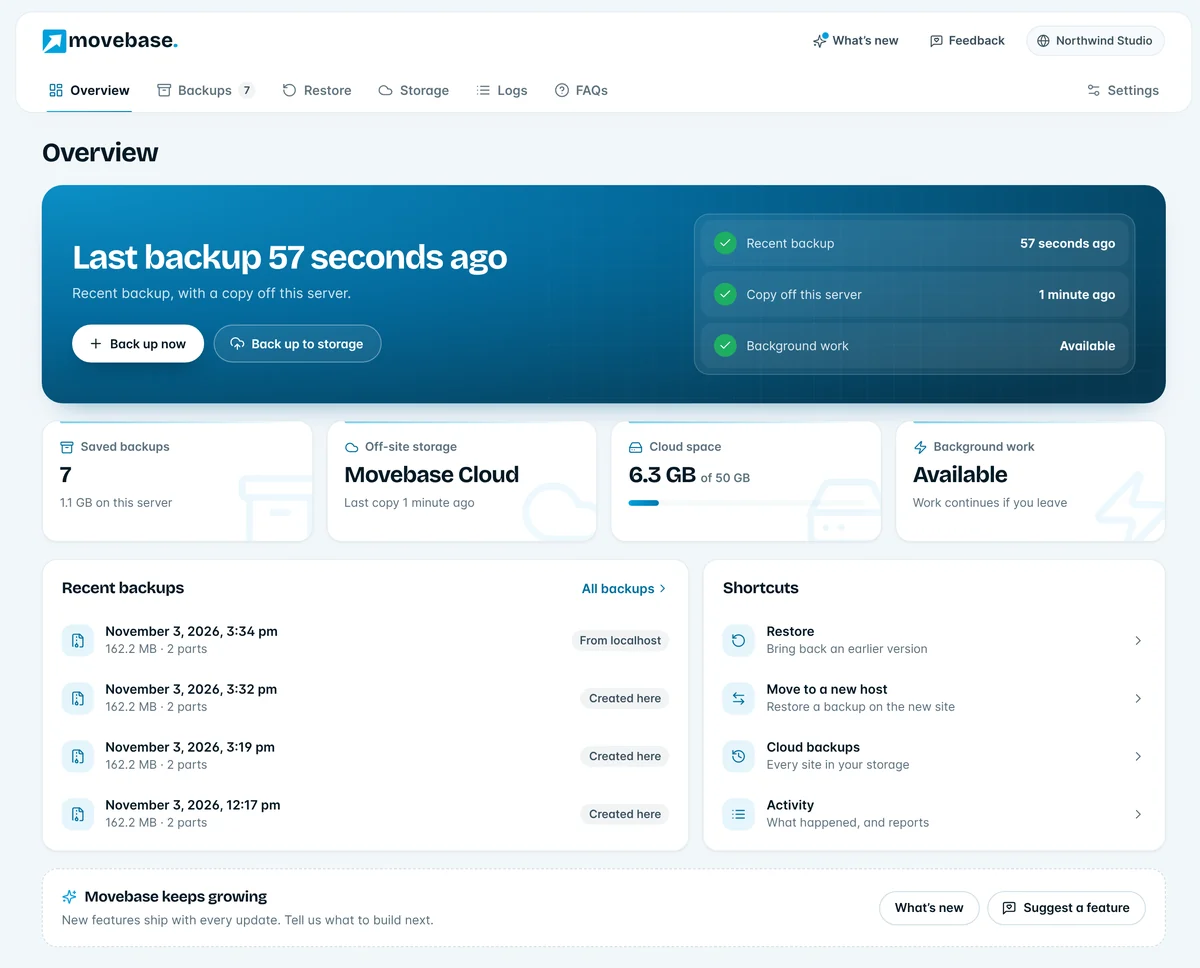
The Movebase Overview screen in WordPress: last backup, a copy off the server and background work all checked, with saved backups, Cloud space and shortcuts
  • Full backups
  • Restore with undo
  • Migration
  • Checksums
  • Cloud storage

Backups Made Simple

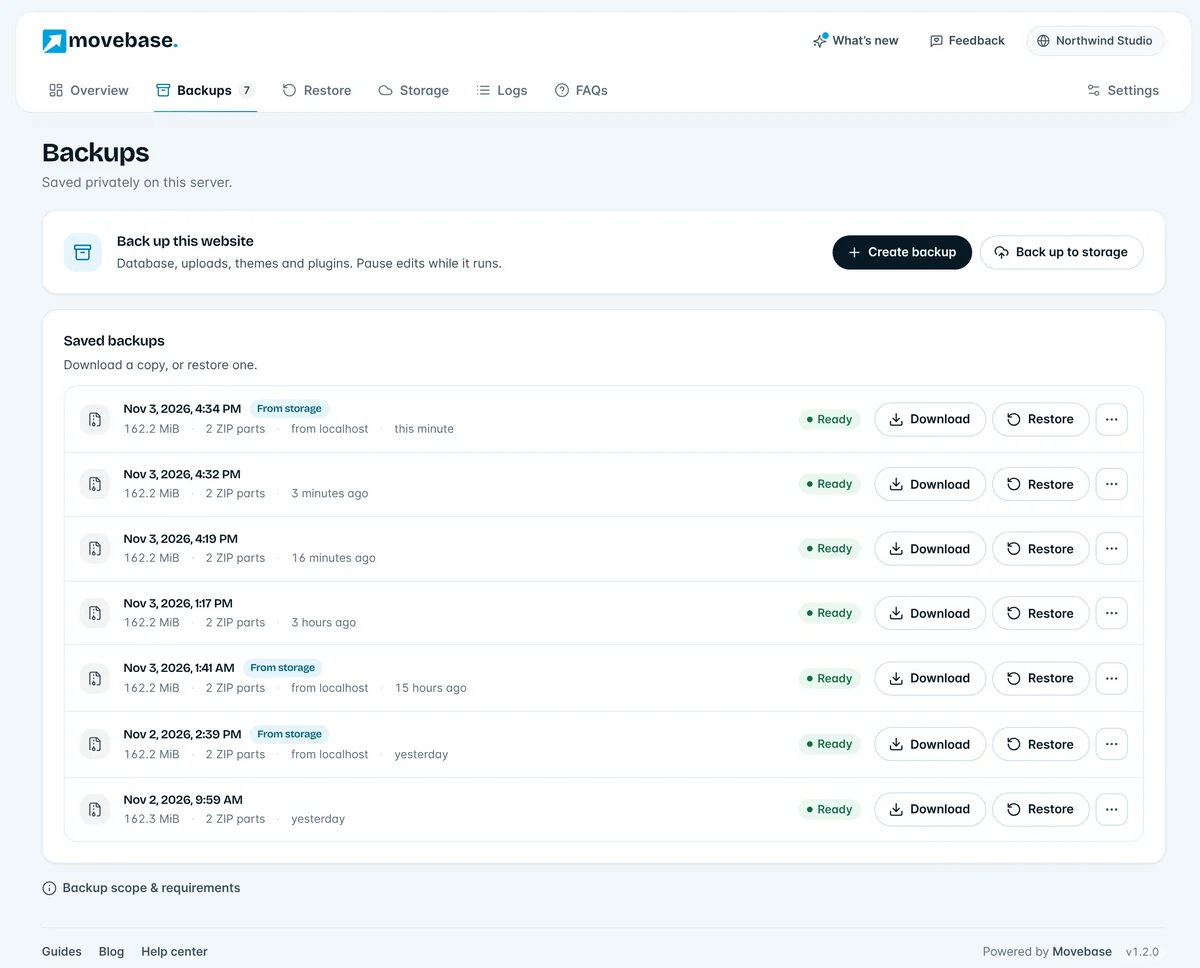
  • Back Up In One Click

    Database, uploads, themes and plugins in numbered ZIP parts. Saved after every step, so a timeout never starts it over.

    2 of 2 parts verified
  • Restore With Undo

    Restore unlocks only when the backup passes its checks. Your current site is kept, so one click puts it back.

    Previous site kept
  • Move To A New Host

    Restore onto another WordPress install. Every address, serialized setting and table prefix is converted for you.

  • Off-Site, Your Way

    Movebase Cloud, your own IDrive e2, MEGA S4 or S3 bucket, or a download. Every part is checked after upload.

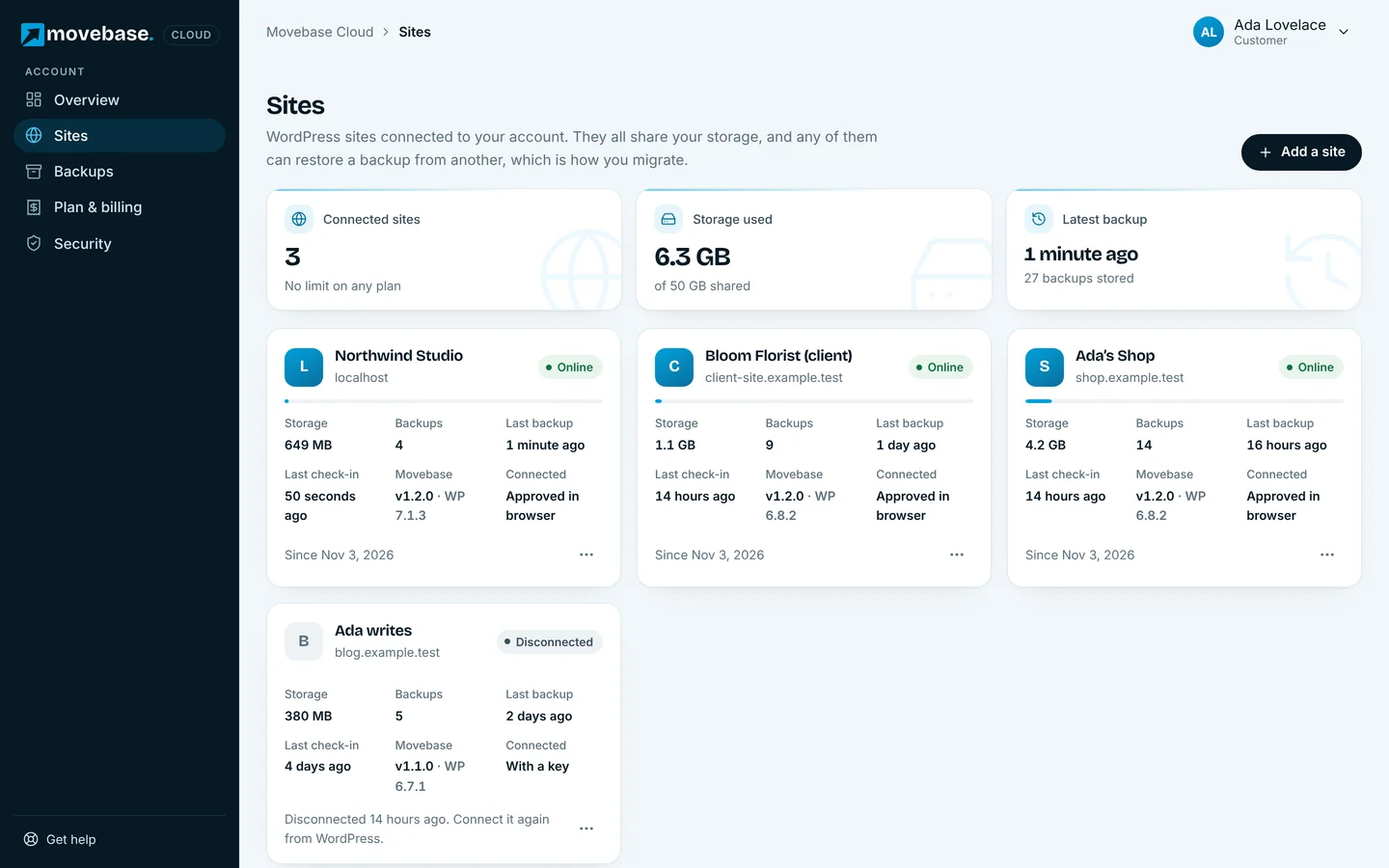
    6.3 GB of 50 GB
  • Made For Shared Hosting

    Movebase raises PHP memory the way WordPress does and works in smaller batches when it must.

Back Up Anywhere

Keep a copy on your server, on your computer, in Movebase Cloud, or in storage you already pay for.

Movebase
  • Your server
  • Your computer
  • Movebase Cloud
  • IDrive e2
  • MEGA S4
  • Amazon S3
  • Cloudflare R2
  • Backblaze B2
  • Wasabi
  • DigitalOcean Spaces
  • MinIO
  • Hetzner Object Storage

IDrive e2, MEGA S4 and any S3-compatible storage work with your own keys, for free. Amazon S3, Cloudflare R2, Backblaze B2, Wasabi, DigitalOcean Spaces, MinIO and Hetzner connect as S3-compatible storage.

Why People Trust Movebase

  • Checked Before Replacement

    Every part is checked against its checksum. Restore unlocks only when the backup passes.

  • Always A Way Back

    Your previous site is kept as a recovery copy. Changed your mind? Put it back in one click.

  • Progress That Survives

    Work is saved after every batch. A timeout, a closed tab or a paused host continues from the last step.

  • Fast On Ordinary Hosting

    Short time limits, low memory and blocked background requests are handled, and explained when they matter.

  • Private By Default

    Backups live outside your public website folder. Storage keys are encrypted and never sent to your sites.

  • Genuinely Free

    Backup, restore, migration and your own cloud storage are free. Only Movebase Cloud storage is paid.

Proof, Not Promises

Measured on our own test sites. Your times depend on your host and the size of your site.

9s

to back up a 25,000-file site on shared hosting

See How It Works

“A popular free backup plugin took 45 seconds on the same server. Movebase finished in 9, with every part checked.”

Movebase test labSame shared host, default settings, PHP limits of 300 s and 256 MB

Everything You Need, Nothing Locked

The plugin is free. Pay only if you want Movebase Cloud storage, shared by all your sites.

Any number of sites

Free Plugin

$0forever

Always free

Backup, restore and migration for every WordPress site you run, with your own storage if you want it.

Get The Free Plugin

Benefits:

  • Full backups in verified ZIP parts
  • Restore with one-click undo
  • Migration to a new host or domain
  • IDrive e2, MEGA S4 and S3 storage
  • No upgrade screens, ever
50 GB storage

Movebase Cloud Plus

Popular

$35per year

$0.70 per GB a year

Ideal for freelancers and professionals managing multiple websites with growing backup needs

Choose Plus

Benefits:

  • Unlimited WordPress sites
  • Backup and restore from any of your sites
  • Each backup part verified after upload
  • Migrate between sites with one account
  • 50 GB cloud storage

Need more room? Add 10 GB to any plan for $8 per year, as many times as you need.

Need more room? Add 25 GB to any plan for $15 per year, as many times as you need.

Prices in USD. Taxes may apply depending on where you live. Cancel any time; you keep access until the end of the period you paid for.

Compare plans

By Hand Vs Movebase Comparison

Moving A Site By Hand

  • Download files over FTP and export the database separately.
  • Search and replace addresses, and hope serialized data survives.
  • No way to tell if a copy is complete until it fails.
  • Timeouts on shared hosting mean starting over.
  • One wrong step and the old site is gone.
  • Error messages that don’t say what to do next.

MovebaseMovebase

  • One backup of the whole site, files and database together.
  • Addresses converted everywhere, including table prefixes.
  • Every part checked before the Restore button unlocks.
  • Progress saved after every batch, so it carries on.
  • Your previous site kept, so one click undoes it.
  • Plain messages with the next step to take.

Frequently Asked Questions

Still can’t find the answer here? Read every answer or contact our support team.

What does a backup include?

Movebase backs up the database, uploads, themes and regular plugins, excluding Movebase itself. WordPress core, wp-config.php, root files, must-use plugins and drop-ins are not included. Keep separate copies of custom server configuration and anything outside this scope.

Can I close this page or turn off my internet?

Background work can continue when the host allows loopback requests and runs WordPress scheduled tasks. This is not guaranteed on every host. Browser uploads need the page and connection to remain available. Reopen Movebase to check progress; keep it open if background work stops.

Can I move my site to a new host or domain?

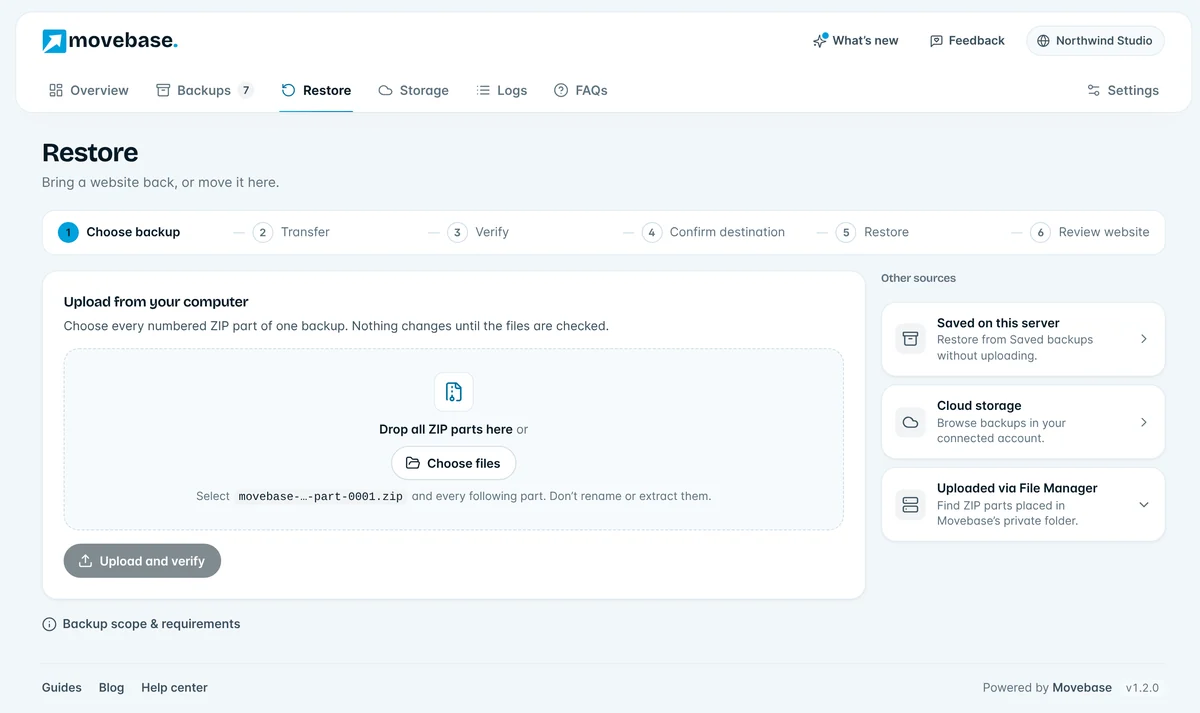
Yes. Install Movebase on the new WordPress site and restore your backup there: upload the ZIP parts, use your host’s File Manager, or pick it from your cloud storage. Movebase updates the site address everywhere it appears, including serialized settings, and converts standard table prefixes. Sign in afterwards with an administrator account from the old site.

How do I undo a restore or delete recovery copies?

Use Recover previous destination when available and confirm the destination URL. Recovery replaces changes made since restoration. Delete backup and recovery copies only after checking the website and keeping a separate backup; deletion removes that rollback option. Do not delete private job directories manually.

Do I need Movebase Cloud to use the plugin?

No. Backup, restore and migration are free in the plugin, and you can keep backups on your server or connect your own IDrive e2, MEGA S4 or S3-compatible storage. Movebase Cloud is optional.

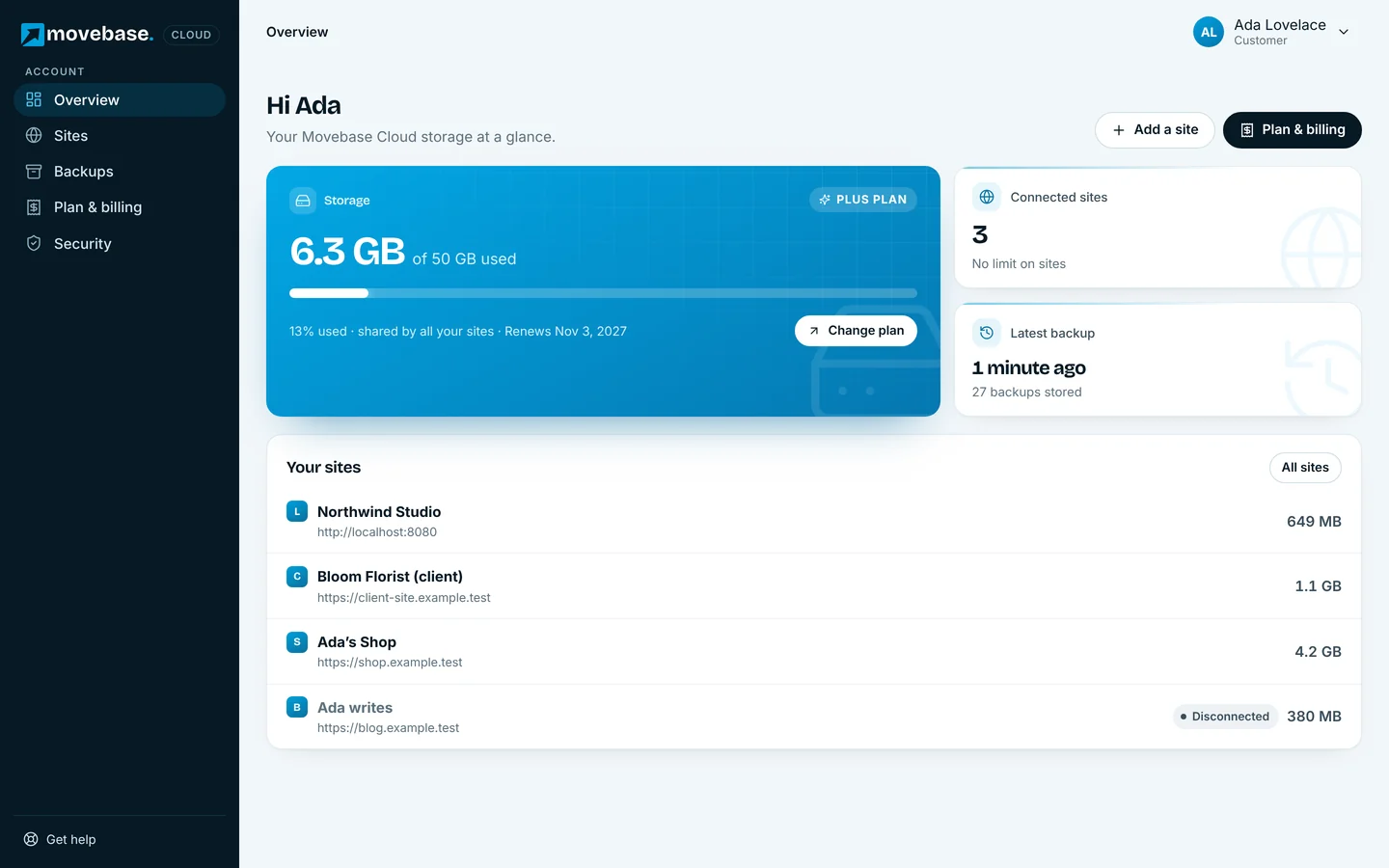
The Movebase Cloud dashboard listing connected WordPress sites with their storage use